What's New
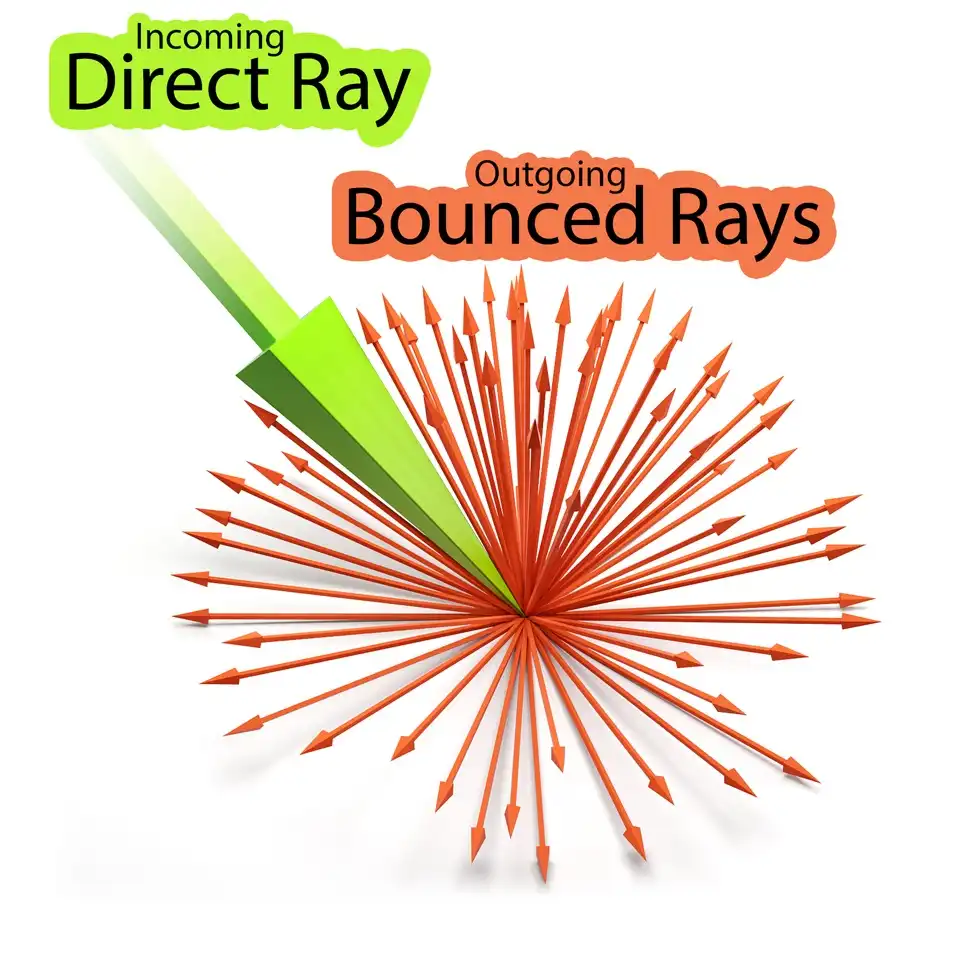
Indirect Illumination in V-Ray 1.5
The difference between direct and indirect illumination is explained. It will give you an understanding of global illumination nature and its role in computer graphics. It will show what is hemispherical diffuse reflection of light and the phenomenon of colored bleeding. What are primary and secondary bounces and why realistic 3D rendering requires special GI engines. How secondary lighting affects overall brightness of rendered images.
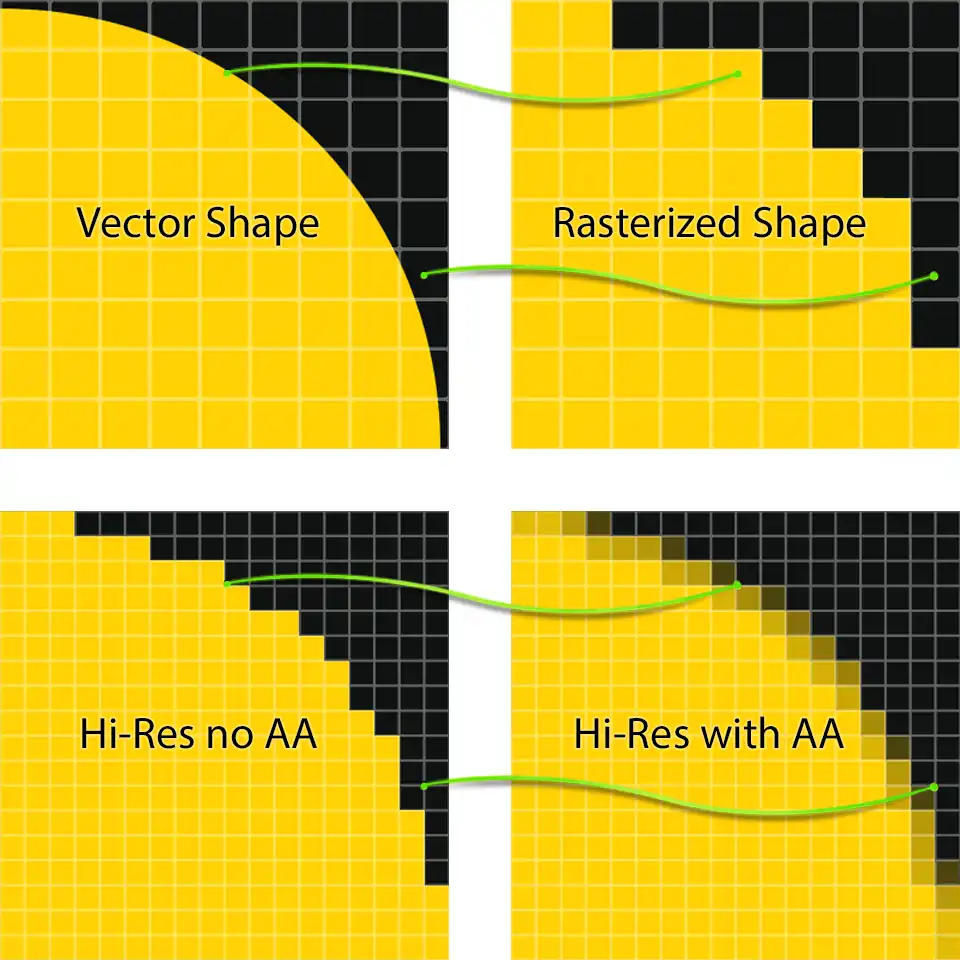
Antialiasing & Color mapping in V-Ray 1.5
The biggest secret of V-Ray 3D renderer is revealed: are there such things as universal settings for photorealistic visualization of interiors, exteriors or for the studio rendering? It will recommend specific values for better visual results. Explain the general concept of anti-aliasing and how V-Ray deals with the aliasing - unwanted phenomenon for any 3d renderer. It will also help you understand what is the color mapping in rendering process and how you can control it.
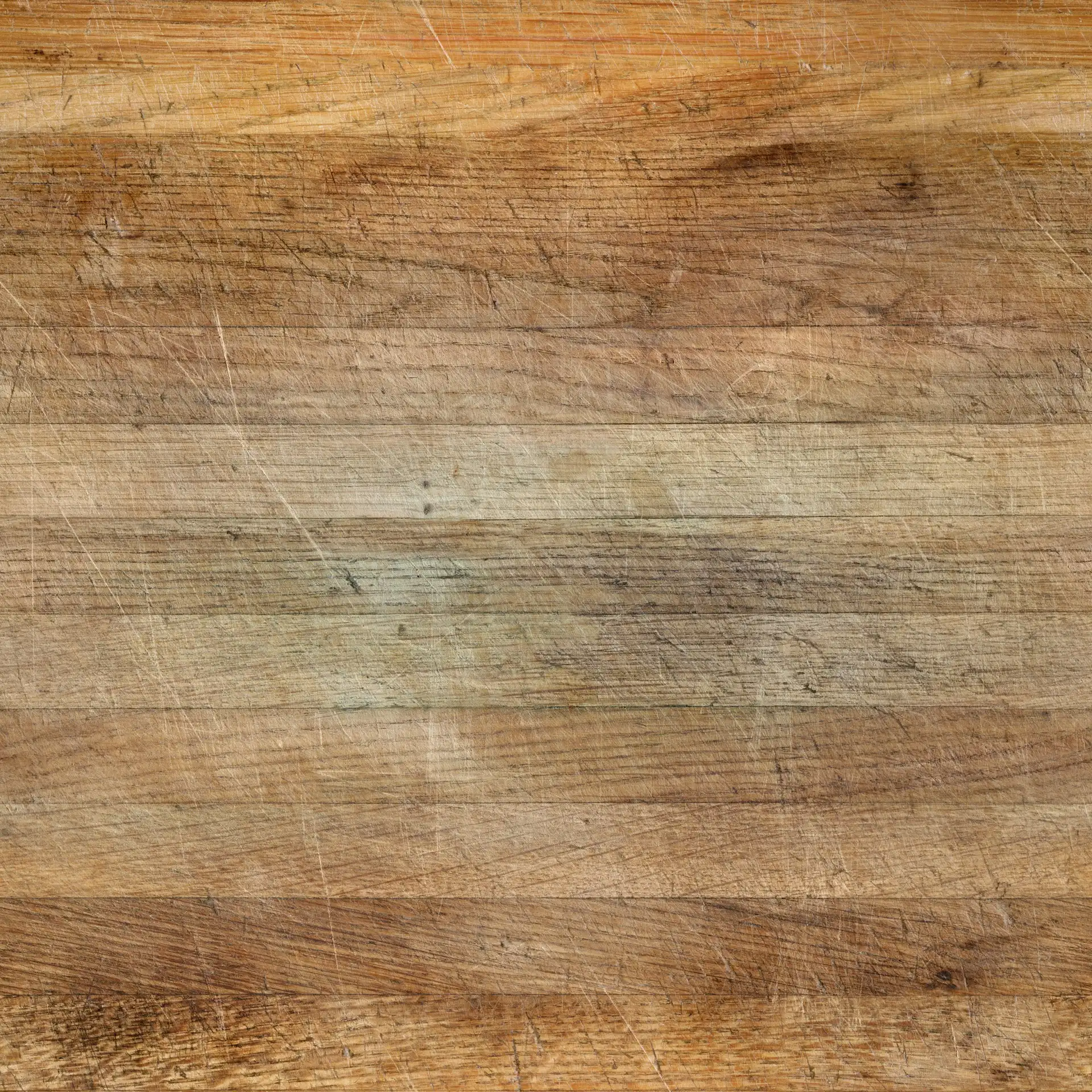
Old Wooden Cutting Board Texture Set
4K 30x30cm seamless PBR texture set of heavily cut wooden surface. The set consists of Diffuse, Glossiness, Roughness, Specular and Normal maps. Diffuse map is created by scanning a real life kitchen cutting board, which is literally used to chop vegetables in a real kitchen. Scanning of the original texture was performed using a high-precision flatbed scanner with a high resolution setting. Later, the original scanned texture of resolution over 20k pixels was color corrected, made seamless in a square proportion, and the resolution was shrunk to an optimal size of 4K. All other PBR maps are manually reproduced from the the diffuse texture. The last tweaks on the textures were made on material in calibrated studio lighting. You can see the final visualization of material, created using only this set of PBR textures, in this 2D asset details down below.
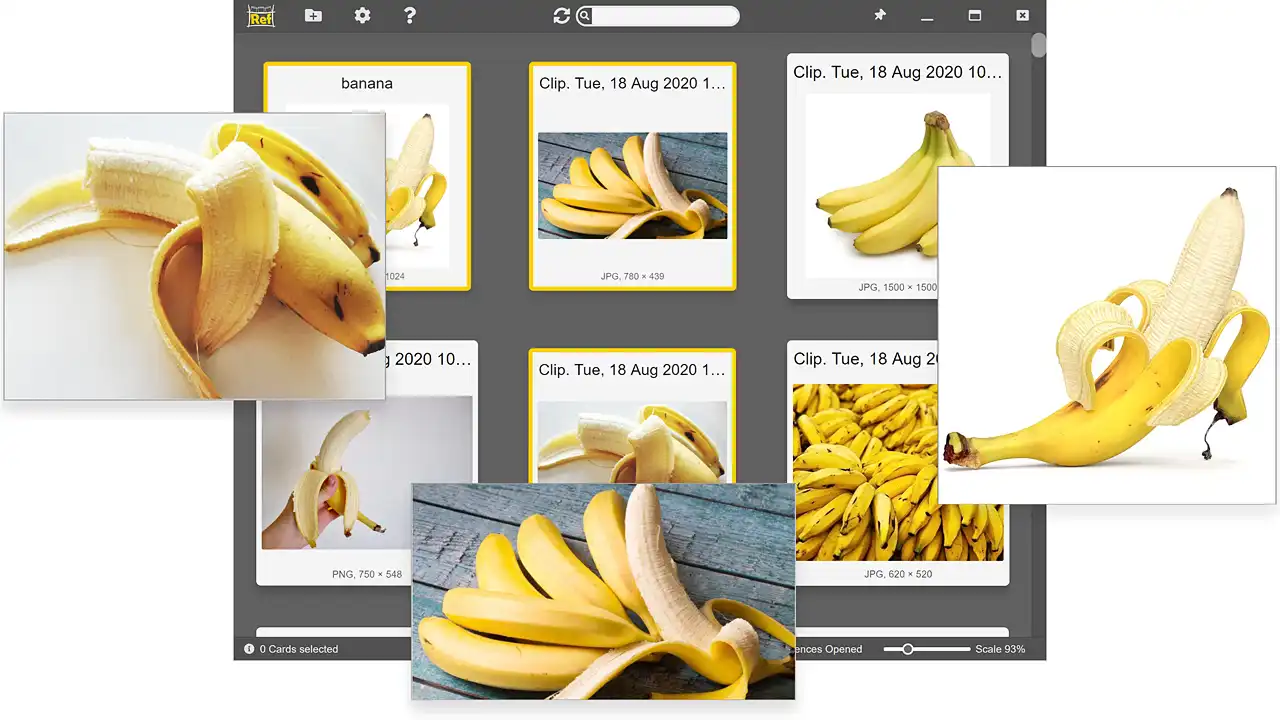
RefShelf, Reference Viewer & Manager
Unique standalone image viewer oriented to work with reference images. Has built-in always on top mode and the ability to display multiple images at once. Its main purpose is to keep reference images constantly observable. Even if you run another program in maximized window mode, the reference images will still be visible. Its third distinctive feature is the capability to download images directly from web browsers by simple drag and drop. It also can handle images from clipboard in both directions (copy "from" and paste "to"). Paste an image from clipboard to RefShelf and you already have saved reference for further usage. RefShelf can really make life easier for the most CG artists and not just for them either!
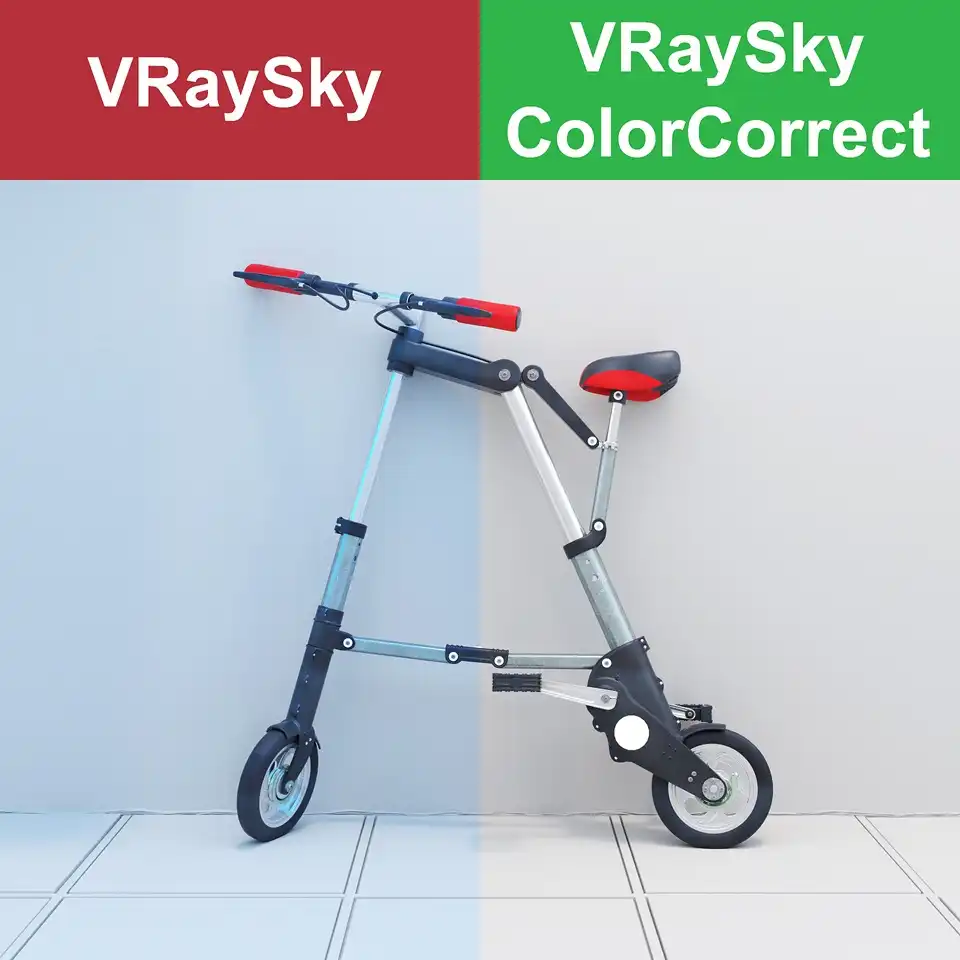
Correcting VRaySky With ColorCorrect
In this tip, you will learn how to correct the color of the ambient lighting created by the VRaySky map placed into environment slot. Oversaturated, sluggish, with bluish color bleeding, unrealistic exterior or interior 3D architectural visualizations are common thing among V-Ray beginners and beyond. This tip will explain how to avoid this problem and get clear and realistically lit renders. All you have to do is fix the colors produced by the VRaySky map itself. The practical solution is pretty simple.
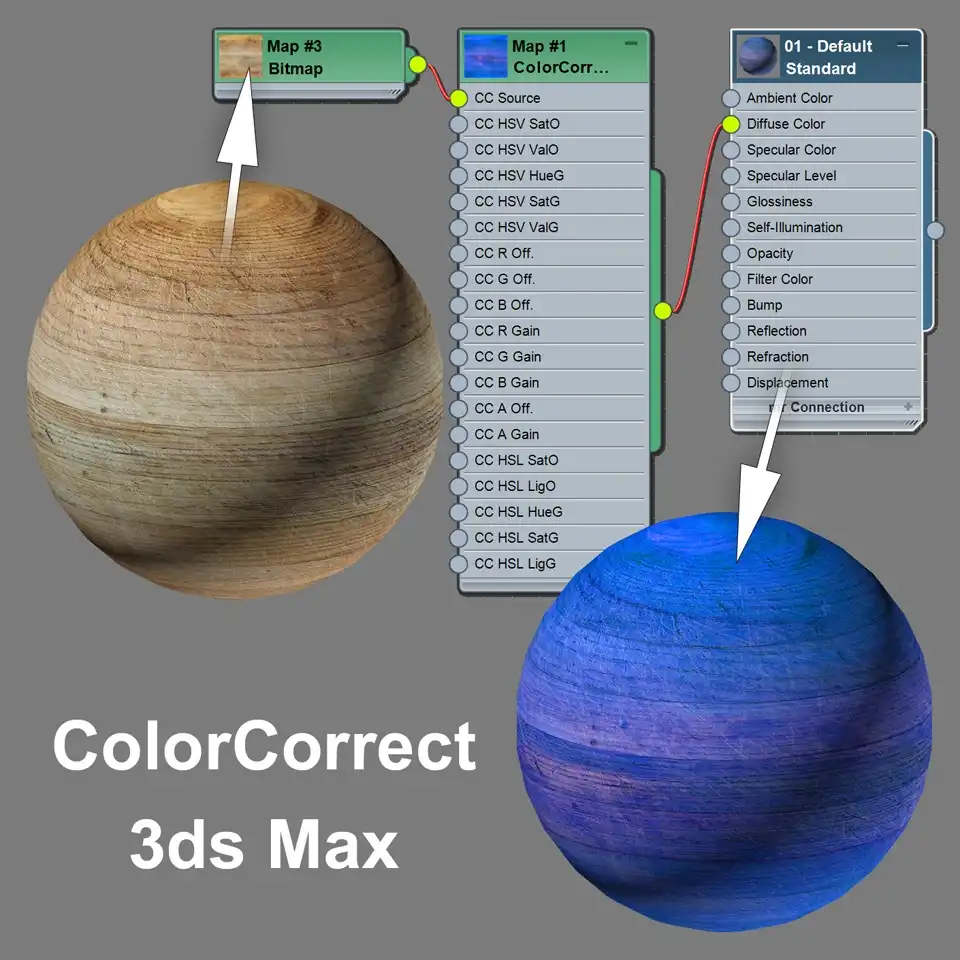
ColorCorrect Texture Plugin for 3ds Max
A brief interface overview of ColorCorrect, a free texture plugin for 3ds Max. In this quick look, you'll see its comparison to VRayColor V-ray map and standard Output map of 3ds Max. A lot of early free 3d models on RenderStuff use this plugin to correct colors of a raster textures that comes with the model, so if you want to use those 3D models natively, you will definitely need to install the appropriate version of this plugin for your version of 3ds Max. Also you will find out where to download ColorCorrect for free.
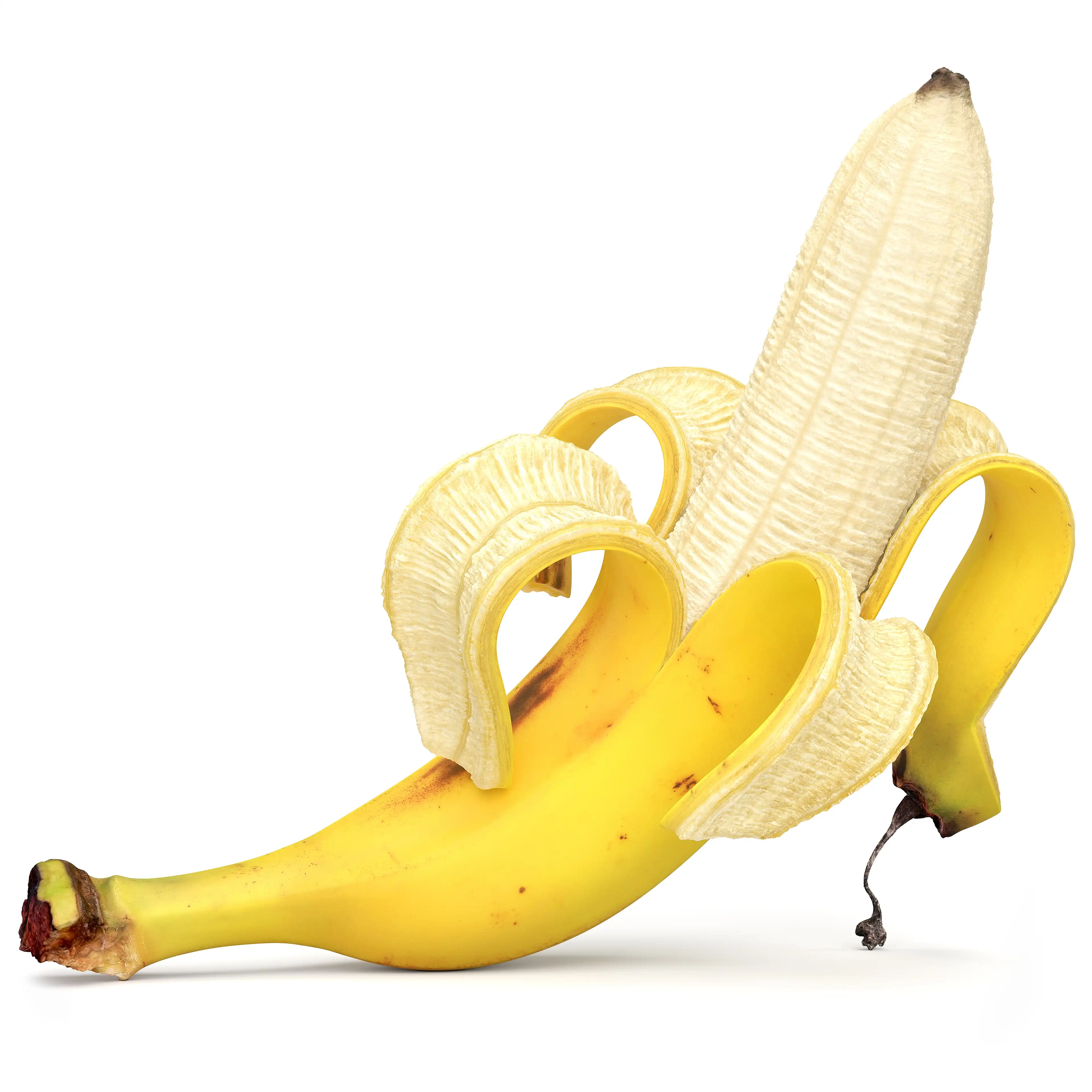
Cavendish Banana 3D Model
Photorealistic yellow banana 3d model with advanced banana peel geometry. The banana inside and banana peel are the separate models with the separate texture sets. The banana peel or husk or banana skin itself consists of four sections. Each section has two sides, respectively, representing a tight and smooth outer rind and soft and fluffy inner pith. The base mesh is divided into sections and can be assembled into a single closed banana finger.
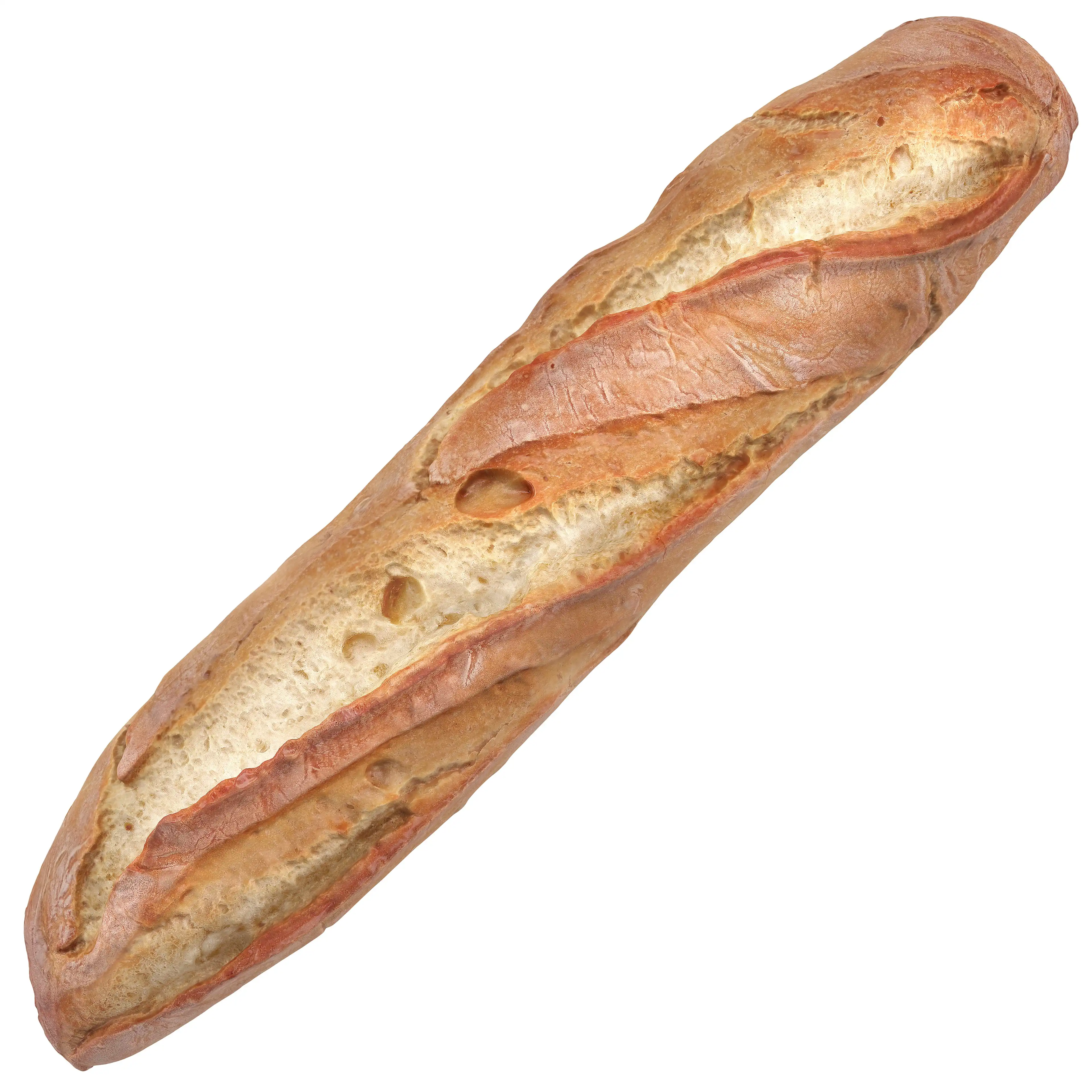
Baguette Bread 3D Model
The photo-realistic 3d model of popular white french bread in a long loaf. An ultra-res 3D Scan of real-world baguette was used as a precise reference for the shape and textures creation. The scanned mesh is wisely retopologized into low-poly base mesh. The great details from original scan were baked into 16bit displacement map while small ones projected into normal map. With these two maps, you can accurately reconstruct the almost original form of real bread. In addition, more than 400 12MP photos of real bread from different angles were taken to generate the Diffuse/BaseColor maps.
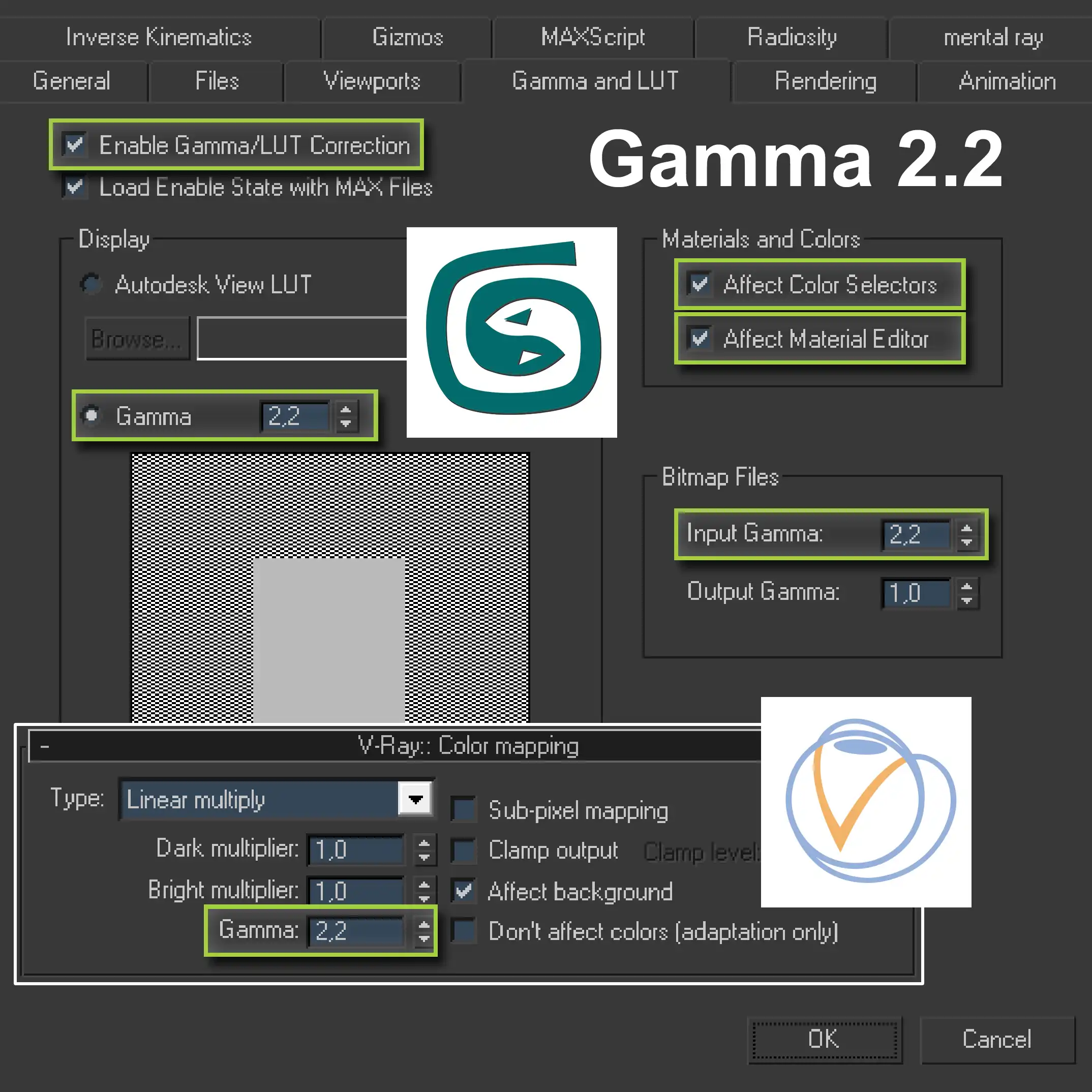
Gamma 2.2 Quick Setup for 3ds Max & V-Ray
This is a shortcut on how to get 3ds Max 2008 and V-Ray 1.5 to work with gamma correction 2.2. It contains step-by-step instructions illustrated with the appropriate screenshots. If you do not want to delve deep into the theory, but just want to set up your workflow to work with gamma 2.2, this guide will help you in minutes. If you're a 3ds Max user but not a V-Ray user, that's fine too. You will probably quickly find an corresponding option in your 3D visualization software.
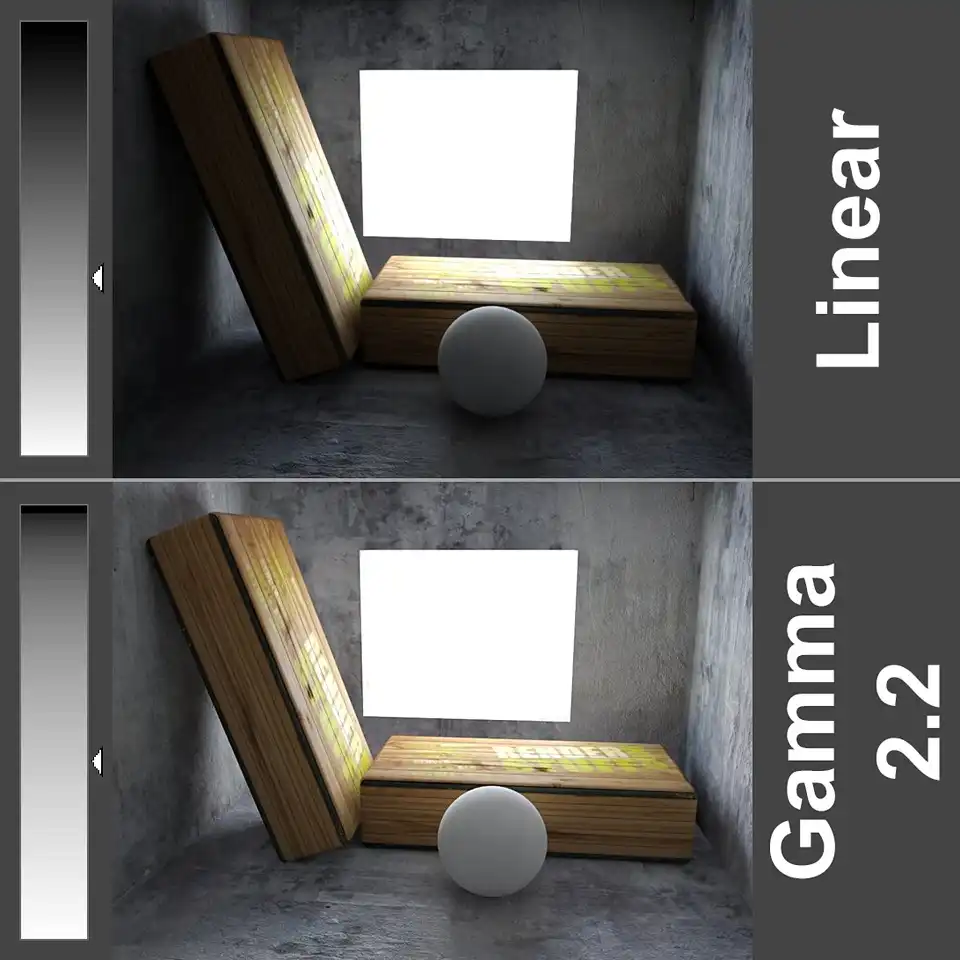
Gamma 2.2 in 3ds Max & V-Ray Full Guide
Comprehensive information on gamma correction in 3ds Max & V-Ray. Examples, theory, and step-by-step instructions illustrated with the corresponding screenshots. If you want to know what gamma correction is, why it is important for photorealistic 3D visualization, and how to apply it to your workflow, this tutorial will help you. If you are not a 3ds Max or V-Ray user, you will still find something useful here, because gamma correction an application independent concept.
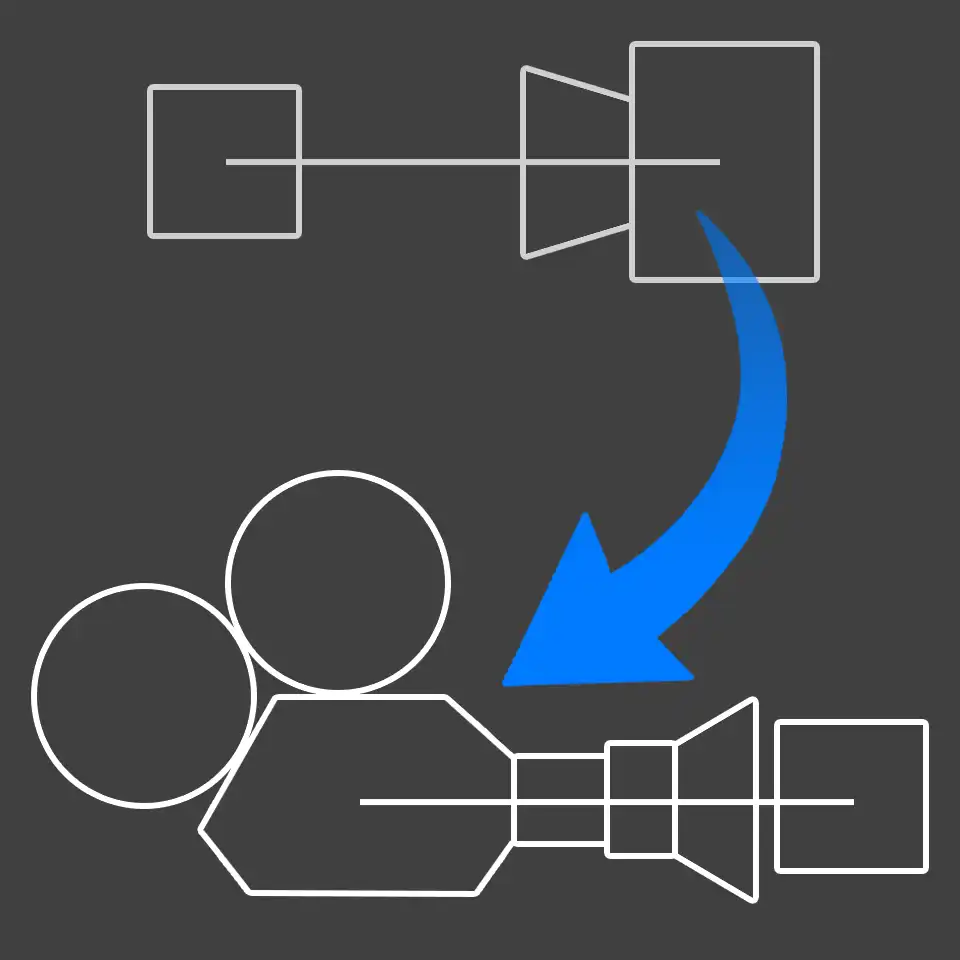
Replacing VRayPhysicalCamera with Standard
In practice, it is more convenient (sometimes even the only possible option) - to use a simple built-in Standard 3ds Max Camera instead of specific for V-Ray - VRayPhysicalCamera. You can also deal with a situation where the scene shooting frame and exposure level are already tied to VRayPhysicalCamera. In this case, replacing it with a standard one can be tricky. This article will explain how to perform such a replacement with the same render results at the end.
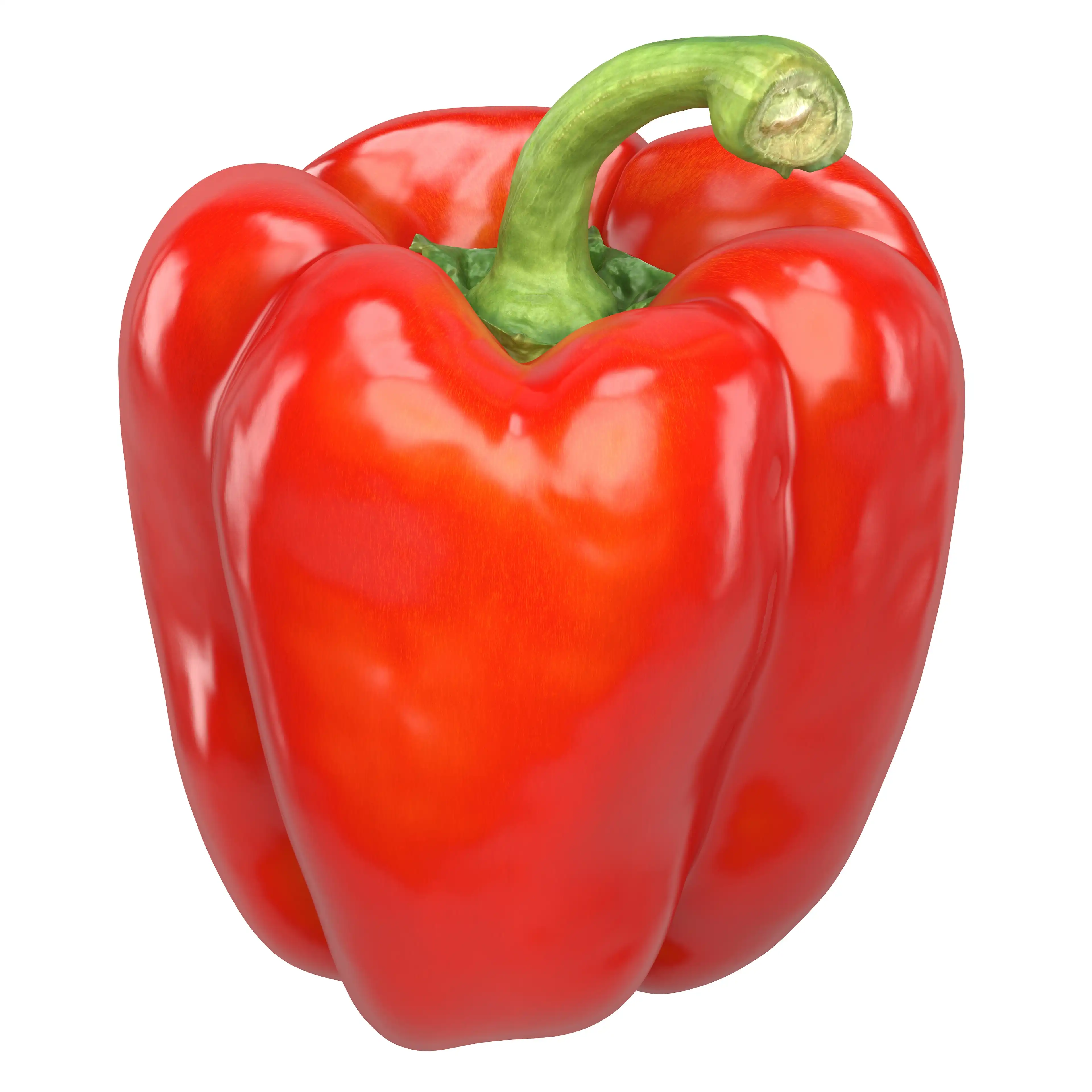
Red Bell Pepper 3D Model
Ultra-photorealistic 3d model of Red Bell Pepper with a green trunk. Its shape and texture were originally scanned from real-life sweet pepper capsicum that had previously been purchased at a local grocery store. Proportions and actual curves of this model are biologically correct so technically you can use this pepper imagery even in the scientific works. The basic purpose of this 3d model is to be used in ultra-close-ups, as for promotional materials or advertisement.
Share
Please share if you like it!